
- 本代码支持任何typecho,支持展示
专辑图、专辑、歌手、lrc歌词滚动。 - 食用方式:代码前后加
!!!即可。 - 为什么要搞出这个代码呢?不是有很多音乐插件吗?
最近发现typecho里能用的音乐插件越来越少,大多数的插件都是年久失修。同时也看着群友们在音乐分享的时候,一个简简单单的播放器,还有些歌词直接粘贴在文章里,感觉整体上不是这么好看。
后面呢,突然想到了一个点子,typecho支持嵌入HTML标签,那我直接在编辑器里写好了,也不用找插件麻烦,也省去程序升级后插件不能使用的尴尬,最主要的是修改方便!
- 有能力的小伙伴们可以做成插件
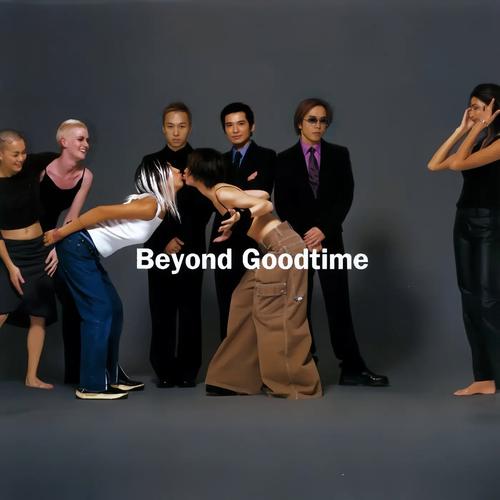
歌名:然后
专辑:Good Time 歌手:Beyond
歌词加载中……
以下代码
<br> <div style="position: relative; width: 100%; max-width: 800px; margin: 0 auto; padding: 10px; border-radius: 8px; box-shadow: 0 4px 8px rgba(0, 0, 0, 0.1); background-color: #f8f8f8; text-align: center;"> <div style="margin-bottom: 15px;"> <img id="album-cover" src="/resource/music/Good Time-Beyond.jpg" alt="专辑封面" style="width: 100%; max-width: 300px; height: auto; border-radius: 8px; box-shadow: 0 2px 4px rgba(0, 0, 0, 0.2);"> </div> <div style="margin-bottom: 15px;"> <h2 id="song-title" style="margin: 0; font-size: 20px; font-weight: bold; color: #333;">歌名:然后</h2> <p id="artist-name" style="margin: 5px 0 0; font-size: 16px; color: #555;">专辑:Good Time    歌手:Beyond</p> </div> <audio id="audio" controls style="width: 100%; margin-bottom: 15px;"> <source src="/resource/music/然后-Beyond.mp3" type="audio/mp3"> 您的浏览器不支持音频播放,请升级到支持 HTML5 的浏览器。 </audio> <div id="lyrics" style="max-height: 300px; overflow-y: auto; font-size: 14px; line-height: 1.6; color: #333; background-color: #fff; padding: 10px; border: 1px solid #ddd; border-radius: 4px;"> 歌词加载中…… </div> </div> <script> const audioUrl = "/resource/music/然后-Beyond.mp3"; const lrcUrl = "/resource/music/然后-Beyond.lrc"; const cacheName = "music-cache-v1"; async function preloadAndCache(url) { const cache = await caches.open(cacheName); const cached = await cache.match(url); if (cached) return; const res = await fetch(url); cache.put(url, res.clone()); } window.addEventListener("load", () => { preloadAndCache(audioUrl); preloadAndCache(lrcUrl); }); const audio = document.getElementById('audio'); const lyricsContainer = document.getElementById('lyrics'); fetch(lrcUrl) .then(response => response.text()) .then(data => { const lyrics = parseLRC(data); renderLyrics(lyrics); }); function parseLRC(lrc) { const lines = lrc.split('\n'); const parsedLyrics = []; const timeRegex = /\[(\d+):(\d+\.\d+)\]/g; lines.forEach(line => { const times = [...line.matchAll(timeRegex)]; if (times.length === 0) return; const text = line.replace(timeRegex, '').trim(); times.forEach(match => { const minutes = parseInt(match[1]); const seconds = parseFloat(match[2]); const time = minutes * 60 + seconds; parsedLyrics.push({ time, text }); }); }); parsedLyrics.sort((a, b) => a.time - b.time); return parsedLyrics; } function renderLyrics(lyrics) { lyricsContainer.innerHTML = lyrics .map(line => `<p data-time="${line.time}">${line.text}</p>`) .join(''); enableLyricsSync(lyrics); } function enableLyricsSync(lyrics) { const lines = lyricsContainer.querySelectorAll('p'); audio.addEventListener('timeupdate', () => { const currentTime = audio.currentTime; for (let i = 0; i < lyrics.length; i++) { if (currentTime >= lyrics[i].time && (!lyrics[i + 1] || currentTime < lyrics[i + 1].time)) { lines.forEach(l => l.style.color = '#333'); lines[i].style.color = 'red'; const activeLine = lines[i]; break; } } }); } </script> <br>